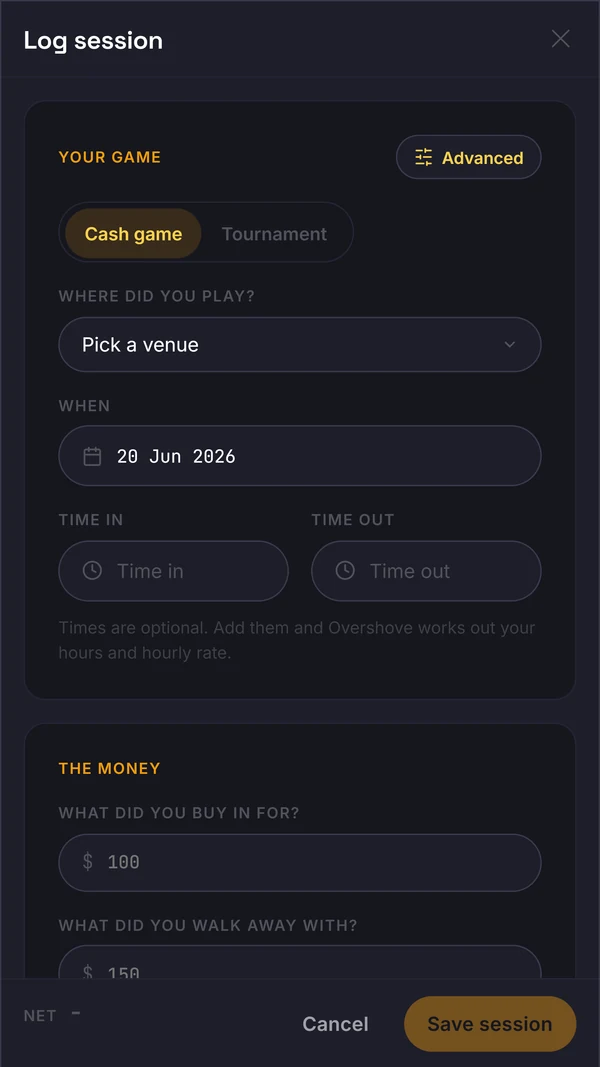
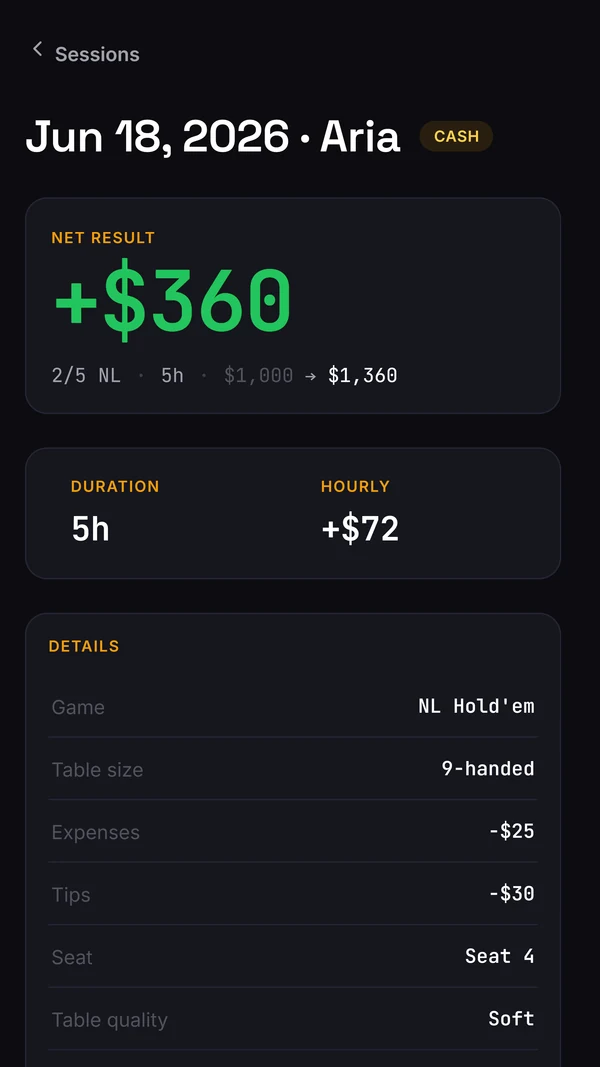
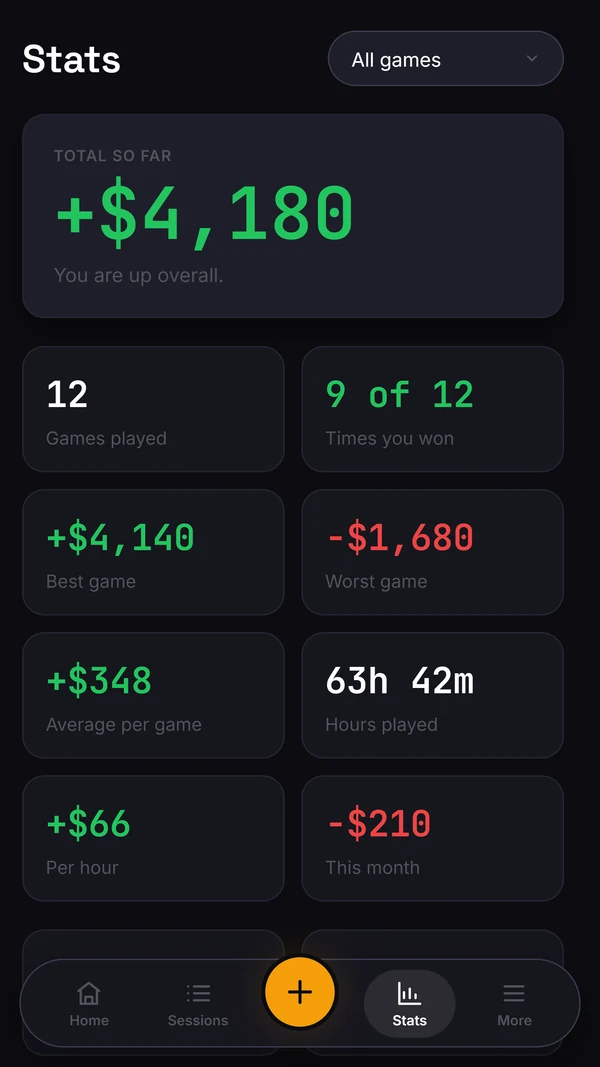
The live web app lets you log cash and tournament sessions, then review your results in Sessions and Stats. Enter the session details you know and complete the record after play. Study tools and marked-hand workflows shown elsewhere on the site are still in development.
Basic accounts start with simpler cash entry unless Advanced logging is enabled in settings. Record the money put in and taken out. Start and end times are optional, but a meaningful hourly result needs recorded playing time. The Advanced button exposes more detail, including Seat, Tips and Expenses.
Why Tom logs after play
In a 15 October 2026 interview, founder Thomas Howcroft described recording his session within five minutes of finishing, while timings and costs are fresh. Feedback from less experienced players shaped the simpler entry flow. This is his own routine, not a measured speed claim or an independent customer review.
Check how costs enter the result
Net subtracts the Tips and Expenses amounts you enter. If a cost already reduced your cash-out, do not enter it as a second deduction. Include all buy-ins and rebuys when checking the money put in. Keep additional costs and playing time consistent across sessions.
What you add after play
Complete the result and review the saved session after play. Plain session notes can preserve context. The separate Study and player-read workflows are in development; a session note is not a structured hand review or a coach assessment.
Finding a session later
Your saved sessions appear in the Sessions area. Review the recorded result and use Stats to see the larger picture.
What you get
→Start with Basic cash entry; add detail through Advanced.
→Net, hourly and win rate by stake build from the log.
→Review saved sessions and results in the web app.
→Access the current app at app.overshove.com.
How this fits the review loop
Start with a complete session record, then check the figures against the money and time you recorded. Results can identify a question for review; they do not grade an individual hand. Use your existing study method for that work while the dedicated Study and player-read workflows are in development.
Questions
When should I log a cash session?
Tom recommends recording it soon after finishing; his own routine is within five minutes. Keep logging separate from play and follow the venue’s phone rules. The aim is a complete record while the details are fresh.
Can I log a session from memory later?
Yes. Record what you know and identify estimates rather than inventing exact costs or times. Check the saved result against your own records.
Do I need every Advanced field?
No. Start with the money in and out, and add timing if you want an hourly result. Add further context only when it is known and useful for your review.