Best live poker apps (2026)
For live cash games, start with a session tracker that records results, hours and additional expenses, then add bankroll and variance calculators. Add a hand database or study tool if you need to review specific hands away from the table.

What apps do live poker players actually need?
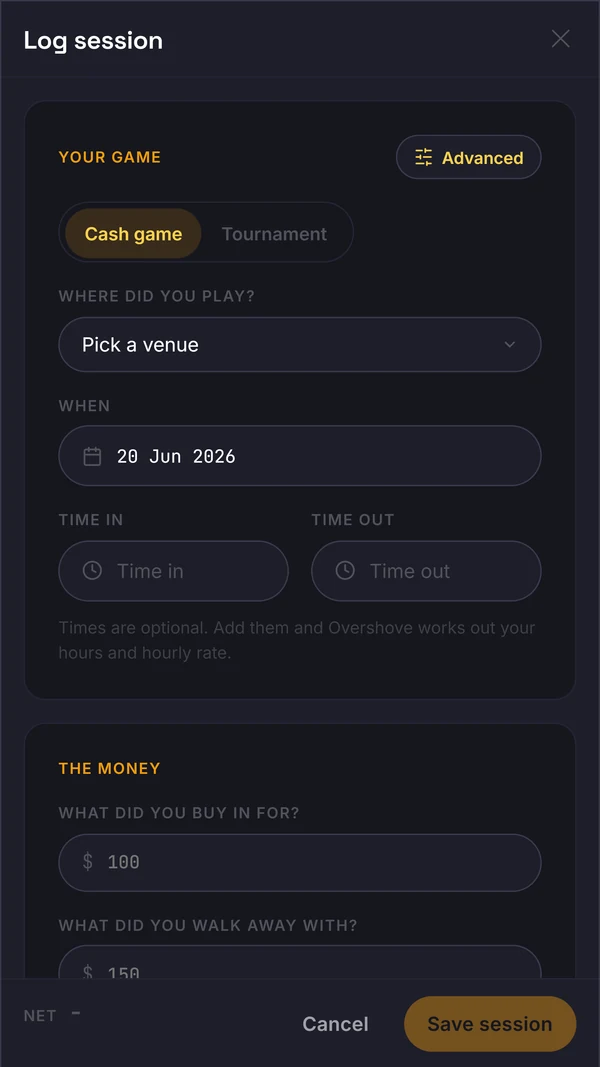
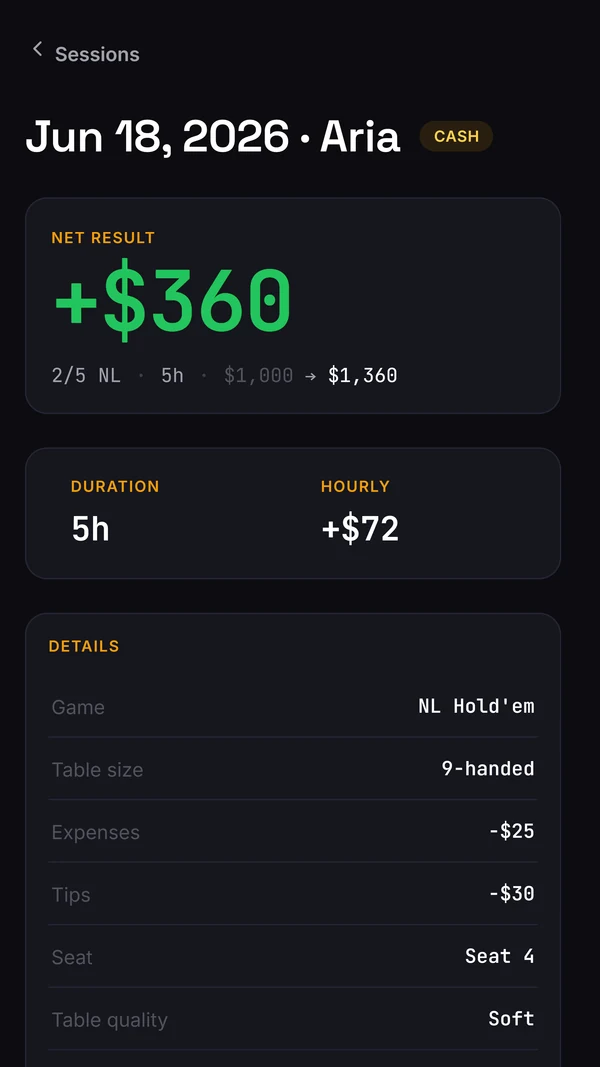
Live poker players do not need one app, they need a small stack that covers three jobs, and the criteria differ from online poker because nothing is captured for you. The first job is a session tracker fast enough to use at the table, because a live sample only exists if the losing sessions get logged too, and complete enough to record hours and additional expenses not already included in buy-ins/cash-outs. Rake and stack-paid tips already affect the table result; breakdowns add context, not another deduction.
The second job is a calculator or two for bankroll, hourly rate and variance, answering the sizing and confidence questions a results graph alone cannot. The third is a study tool that keeps marked hands, tagged leaks and private reads on the regulars you see every week. A HUD is not on the list, because an in-game overlay is impossible live. Anything built online-first and repainted for live tends to fail the first job, which is the one everything else depends on.
The criteria, before the names
Many live players already record something. The problem is what gets recorded: a buy-in and cash-out ledger cannot separate running bad from playing bad, and logging discipline is weakest during a downswing, exactly when the sample matters most.
Those gaps set the bar for any app on this page. Four tests follow from them. Logging speed: is capture fast enough that you never skip a session, including the losing ones? Hourly basis: does it include additional expenses once, preserve table hours and distinguish any overall trip hourly? Variance read: can it tell you whether your sample supports your win rate, or does it only draw a graph? Data ownership: can you leave with your full history as a CSV whenever you want?
Everything else, GTO charts, staking ledgers, hand replayers, room directories, is a feature preference rather than a criterion. Some players want those bundled in and some do not, and the table below treats them that way: real strengths that decide fit, not quality.

The apps, honestly compared
Every named-tool fact below is summarised from the product's official site or public store listing, checked in June 2026, and most of these apps have a fuller write-up in the comparison pages on this site. The verdicts are honest: several of these apps beat Overshove at their own game, and the table says so. Read the best-fit column first; the right app is the one whose core job matches the question you actually ask after a session.
One absence worth naming: there is no HUD row. A HUD needs a data feed, and a live table has none, so no app can show you live opponent stats mid-hand. Any product implying otherwise is describing something that cannot exist. The realistic live stack is a tracker, a calculator or two, and a study habit.
Logging speed decides whether you have a sample
Slow capture does not produce a slow sample; it produces a biased one. The sessions that get skipped are not random. They are the late-night losses, the short frustrated stabs, the nights you did not want to think about. Miss those sessions and every downstream number flatters you.
The test is simple. Time yourself logging a fake session: date, venue, stake, buy-in, cash-out, hours. If it takes more than about 30 seconds on your phone, standing at the cage or sitting in the car, you will eventually skip one, then two, then the habit is gone. Watch for apps that demand a dozen taps before the first field, or that bury cash sessions under tournament flows.
Two design details matter more than they look. Backfilling: how easily can you enter Tuesday's session on Thursday, because that will happen. And defaults: an app that remembers your usual venue, stake and buy-in turns six fields into two. Fastroll built its entire product around capture speed for individual hands; the same obsession applied to sessions is what separates a tracker you keep from one you abandon by March.
What rake, tips and travel do to a £1/£2 hourly
Consider a synthetic £1/£2 year: 120 five-hour sessions, 600 table hours, with cash-outs minus all buy-ins of +£4,800. The table hourly is £8, or 4 BB/hr. That is the observed result on the stated basis, not proof of a long-term rate.
Assume four won pots per hour, each with £3 of rake removed and a £1 tip paid from the stack. That attributes £16 per hour, £9,600 over the sample, to payments already included in the cash-out result. An add-back gives £24/hr before those specified deductions; it does not predict no-rake play and is not another expense to subtract from £8.
Additional travel of £10 per session, paid separately and not in the ledger, totals £1,200. Profit after that travel is £3,600: £6 per table hour, or 3 BB/hr. A door-to-door hourly would also need travel hours; those hours change the denominator, not the £3,600.
Compare the additional-expense treatment in the tool you actually use. A buy-in/cash-out result can be correct without separate rake and tip fields; a breakdown can still help explain costs and compare the observed conditions of sessions.
The variance read, and owning your exit
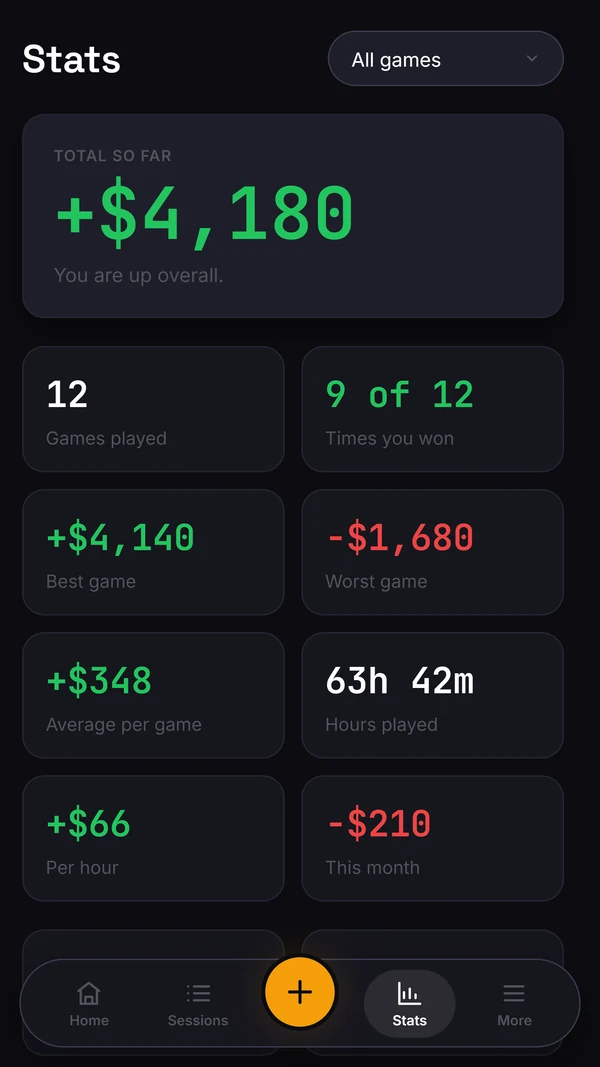
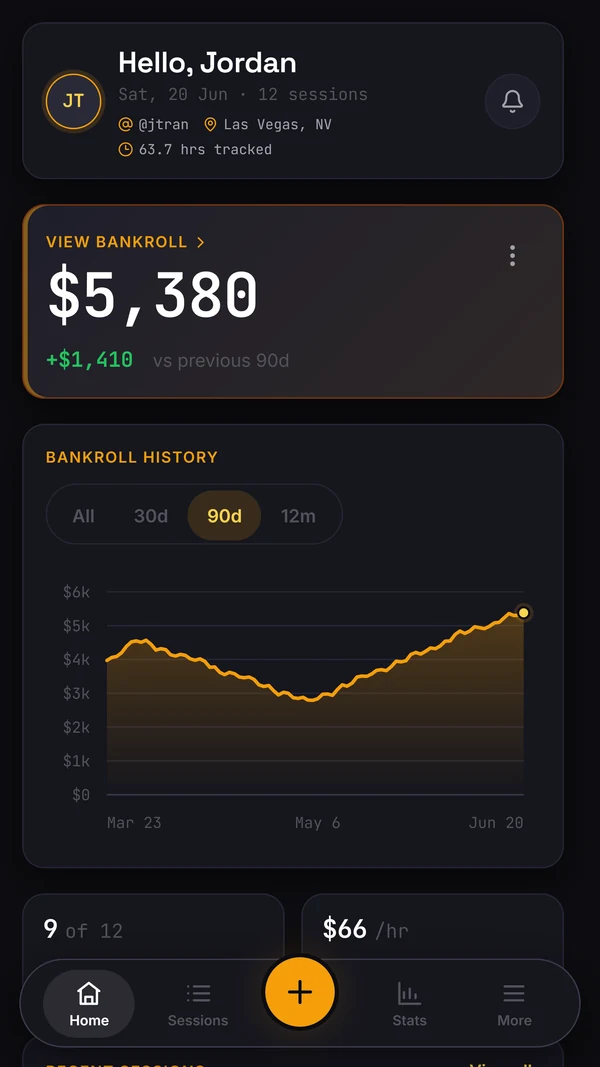
Many players cannot tell running bad from playing bad, and the honest reason is that the maths is genuinely unkind. Live full ring runs at a standard deviation of roughly 80 to 120 BB/100. Take the £1/£2 player above: £6 an hour true is 3 BB/hr, which at 27 hands an hour is about 11 BB/100. After 600 hours, roughly 16,200 hands or 162 hundred-hand blocks, the standard error on that win rate is 100 divided by the square root of 162, call it 8 BB/100. A 95% interval spans roughly plus or minus 16 BB/100: after a full year of decent volume, the data alone cannot separate that player from break-even.
That is not a reason to skip the variance read; it is the reason to demand one. An app that only draws a results graph lets you conclude whatever your mood suggests. What you want is the interval stated plainly on your actual sample. Bink and Poker Analytics both surface standard deviation, while PokerLog offers a what-if simulator. Overshove has a separate public variance calculator; an in-app confidence band is in development. None of these tools removes variance.
Data ownership is the quieter criterion, and your sample is the asset it protects. A tracked history is a multi-year record that should outlive any app, so the only acceptable answer to can I leave is a full export, any time. PokerLog exports CSV, JSON and XLSX, which is genuinely strong; PokerBase supports CSV import and export. Overshove's web app offers session and bankroll CSV imports and exports, but we have not verified complete column mapping or round-trip fidelity. A spreadsheet is ownership by definition. Treat a missing or paywalled export as disqualifying, whatever else the app does well.
Who should pick what
If you run staking action in either direction, PokerBase is the obvious starting point: backer tools, multiple bankrolls and social updates are its core, and it is a finished native app on both stores today. If the biggest hole in your game is not knowing what happened in specific hands, Fastroll's per-hand database fills a gap almost nothing else does live, and it sits happily alongside a results tracker rather than replacing one.
Device and temperament sort the rest. All-iPhone players who want a highly polished native tracker should look at Left Pocket, especially if the health and mood layer appeals, or at Bink if a bundled GTO trainer next to deep stats is the draw. Players who want to define their own fields and slice standard deviation every way imaginable should look at Poker Analytics, which also covers Android and Mac. PokerLog fits players who want charts, an AI assistant and a room directory in one free app.
Overshove's current offer is narrower than those bundles. The free web tracker records live cash sessions and bankroll changes, shows a cost-aware hourly and exports CSV. The variance band and study loop are in development. There is no trainer, HUD or AI assistant in the current core. If you need those extras now, one of the other apps may fit better. The comparison pages on this site walk through most pairings in detail.
When a spreadsheet is enough
A spreadsheet remains a common primary tracker, and for a decent share of players that is the right call. If you play a few sessions a month at one stake, want a running net and nothing else, and have the discipline to enter every session including the ugly ones, a spreadsheet does the job for free and you own every byte of it.
Be honest about where it breaks. The failure mode is not capability; you can build variance formulas and cost fields into a sheet if you want to. Check whether you maintain those fields and formulas consistently, including after losing sessions. A spreadsheet also has no opinion: it will happily show you a rising graph built on a gappy, flattering sample and never once ask about your standard error.
The practical line: below roughly 20 hours a month, or wherever your interest in the true hourly and the variance read genuinely ends, stay with the sheet. Above that, pick an app from the table by fit, not by feature count. Some trackers offer CSV import, including Overshove, but import is only as useful as its field mapping. Keep your original spreadsheet and test a few copied rows before moving a full history.
Sources
Product facts checked against first-party pages and developer-supplied store listings on 5 August 2026.
- →A live-first session tracker
- →Free bankroll, variance and rate calculators
- →Check which study tools are available today
- →Test export before moving your history
Questions
Do live players need a HUD?
No, a HUD is impossible live. The edge comes from logging, review and reads, not an overlay.
Is one app enough?
A good live-first tracker covers most of it; calculators fill the rest. Overshove bundles both.
Which of these apps run on Android?
As of June 2026 store listings: Fastroll, PokerBase and Poker Analytics ship Android versions, Left Pocket and Bink are Apple only, and PokerLog lists on the App Store. Overshove's Android app is live on Google Play in the UK, US, Canada, Australia, Ireland and New Zealand. Its web app at app.overshove.com works in any phone or desktop browser. Listings change, so confirm before committing your sample.
Can I run a hand database and a results tracker together?
Yes, and it is a sensible stack. Fastroll covers per-hand capture and filtering; a results tracker covers sessions, bankroll and the true hourly. They answer different questions, which hand was that versus how am I really doing, so there is no overlap to pay for twice.
What does Overshove cost?
The core tracker is free: logging, true hourly, bankroll and CSV export. After useful value, the only paid offer is Founder: one GBP 79 payment for 730 days, with no automatic renewal, limited to 20 places and a 14-day full refund.
Is it fine to log sessions on my phone at the table?
Logging between hands is normal in most rooms, though device policies vary, so follow the floor. Nothing in a session tracker gives in-hand help; capture takes seconds and the review happens later, away from the table.