Sessions
- Job
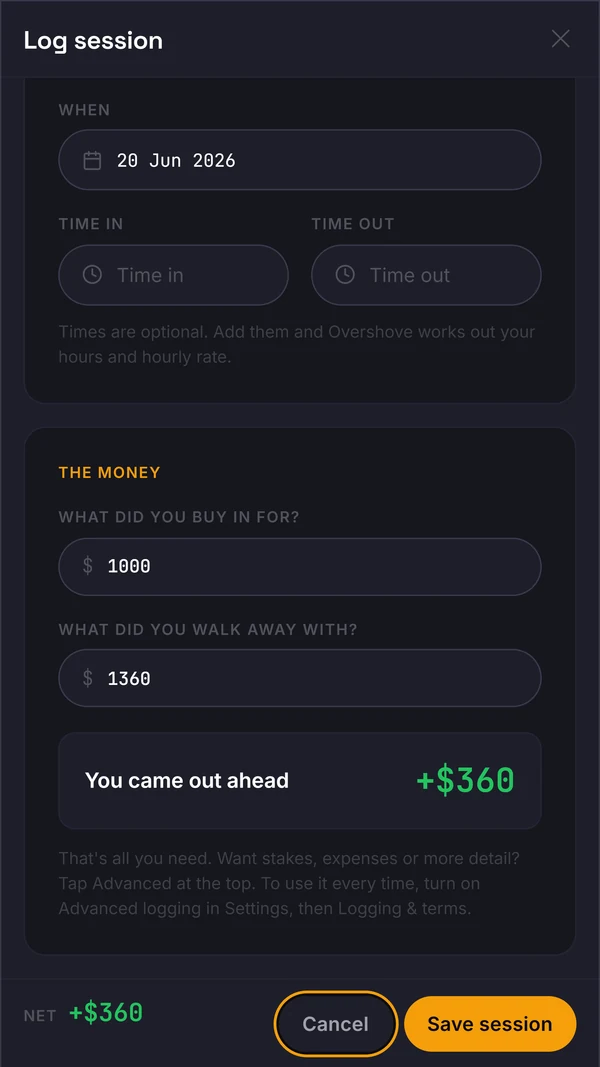
- Capture the session without slowing the table.
- Open
- Jump to sessions
Log sessions and review Stats in the live web app. The advanced tools below are marked as planned where they are not available yet.

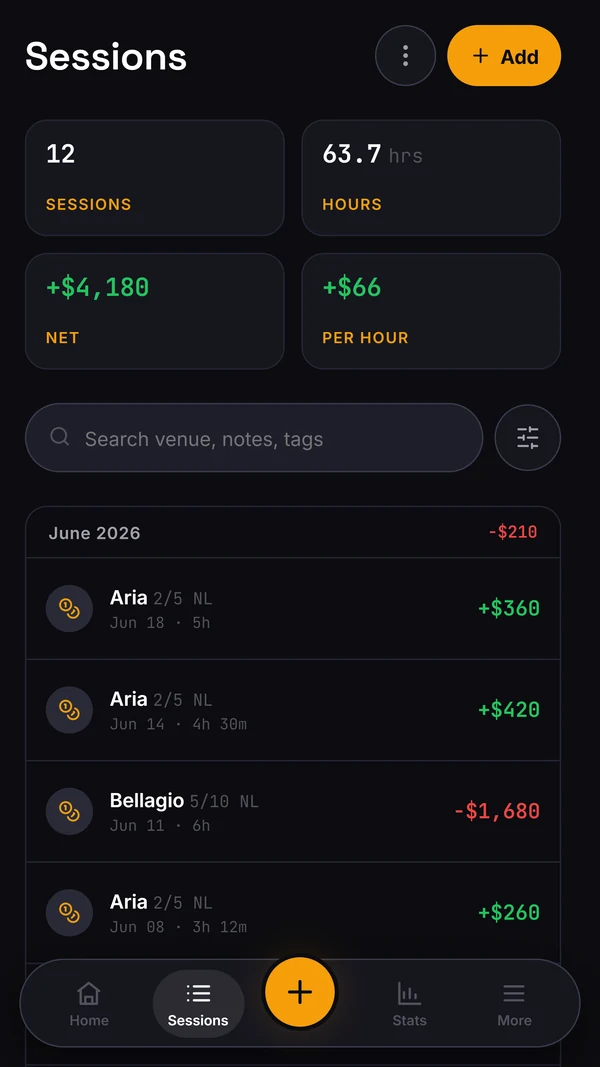
The live app currently centres on Home, Sessions, Log and Stats. You can record cash and tournament sessions, review your results and use the export controls in Account. Start by checking that each session has the right date, time, game, stake and result. Then compare the visible rows with the totals in Stats. This is especially useful after an import or when one session crosses midnight. A complete log is more useful than a polished graph built from missing sessions. The deeper study and player-intelligence ideas on this page are planned; they are not part of the current product.
The live log is useful when you record winning and losing sessions alike. A complete record helps you judge how results vary by stake or venue. Short samples are noisy, so no graph can confirm that you have an edge or that a move up is safe.
Account > Import & export currently shows session spreadsheet import, session CSV export and bankroll export/import. Keep your source file and check imported sessions against it. Compatibility and full migration fidelity for older trackers have not been established.
Use the current Sessions and Stats areas to understand the record you have actually entered. Variance intelligence, study actions, player reads, readiness, staking and social tools shown below are concepts for future releases and are marked accordingly.
The product aim is repeatable review and clear numbers. The current app covers the core log and stats; the illustrated future areas are not available yet. We will update this page as features become usable.
If you are new to tracking, begin with a session entry and check that it appears in Sessions and Stats. Export a copy if you need to inspect or share the underlying records.
That slow adoption path is deliberate. A player should never feel forced to fill out every tool before saving a session. The core log stays simple, and the deeper features are there when the sample starts asking harder questions.
Record a cash or tournament session in the live web app, then review saved entries in Sessions and results in Stats.

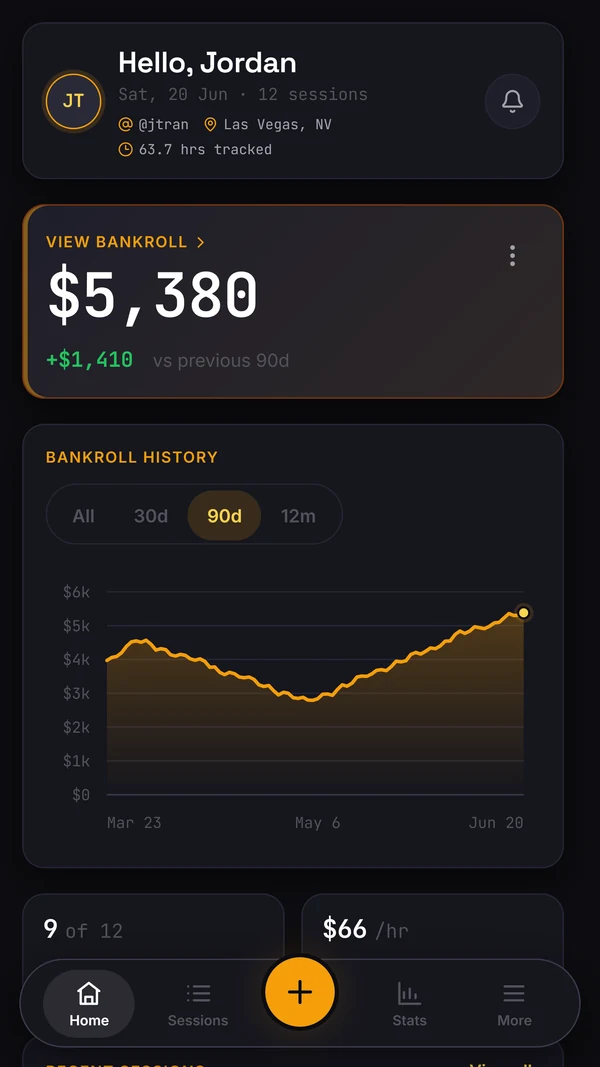
Use Stats to review the results recorded in your sessions and follow your bankroll. The figures shown here are illustrative sample data.
Planned concept. The live app marks Variance intelligence coming soon. The separate public variance calculator is available now; it is illustrative and cannot confirm a player's edge.
Sample data across 612 hours, estimated win rate +8.3 BB/hr (£34/hr). This is an illustration, not proof of a player's edge.
Planned concept. The live app marks Study coming soon. The sample interface illustrates a possible review workflow, not a feature you can use today.
Planned concept. The live app marks Player reads coming soon. The profiles shown here are fictional sample data.
Limps then calls 3-bets wide. Stations the river. Value bet thin, never bluff.
Aggressive reg. 3-bets light IP, barrels three streets. Do not bluff-catch light.
Planned concept. A readiness score is not available in the current app and should never be treated as a guarantee of safe or profitable play.
Coming to the Elite plan: track your staking deals and see the combined money view, own play, staking ledger and open exposure in one place.
In Account > Import & export, the live web app offers session spreadsheet import, session CSV export and bankroll import/export. Keep the original files and check results after import. The old Windows desktop version is retired.
Start logging today in the web app. Future features on this page are clearly marked.
Compete, privately.
Planned concept. Profiles and leaderboards are not available in the current app. Any future sharing controls need product and privacy review before release.